Birthday reminders
their time,
not yours
Most birthday apps remind you at midnight in your timezone. BirthdayBridge calculates when the person is actually experiencing their birthday — and finds the perfect moment for you to reach out.
Free to download · Android coming soon
Why BirthdayBridge
The problem with
midnight reminders
The problem
Your friend in Paris wakes up. You're still asleep.
Standard birthday apps fire at midnight in your timezone. If your friend is 10 hours ahead, they spend most of their birthday waiting — and your message arrives long after the moment has passed.
The solution
BirthdayBridge finds when both of you are awake.
The overlap algorithm scores every 30-minute window of a contact's birthday and finds the moment that works in both timezones — their morning, your evening. The right time, not just the right day.
Features
Everything you need.
Nothing you don't.
Timezone-aware reminders
Set a contact's timezone once. BirthdayBridge handles the rest — calculating the optimal notification time every year, accounting for daylight saving automatically.
Smart overlap window
The OverlapEngine scores every slot in a contact's birthday and picks the window where both of you are most likely awake and reachable.
One-tap messaging
Send a birthday message via iMessage, WhatsApp, or Email directly from the notification — pre-filled with the recipient and your custom message template.
Contacts import
Import directly from your address book. Birthdays, names, and photos pull through automatically. Manual entry works too.
Fully private
All data stays on your device and in your personal iCloud account. No servers, no analytics, no tracking. Your contacts are yours.
Personalisation
Eight colour themes, relationship tags, custom message templates, nickname and salutation support — and widgets for your home screen and lock screen.
See it in action
Every detail, designed
around the people you care about
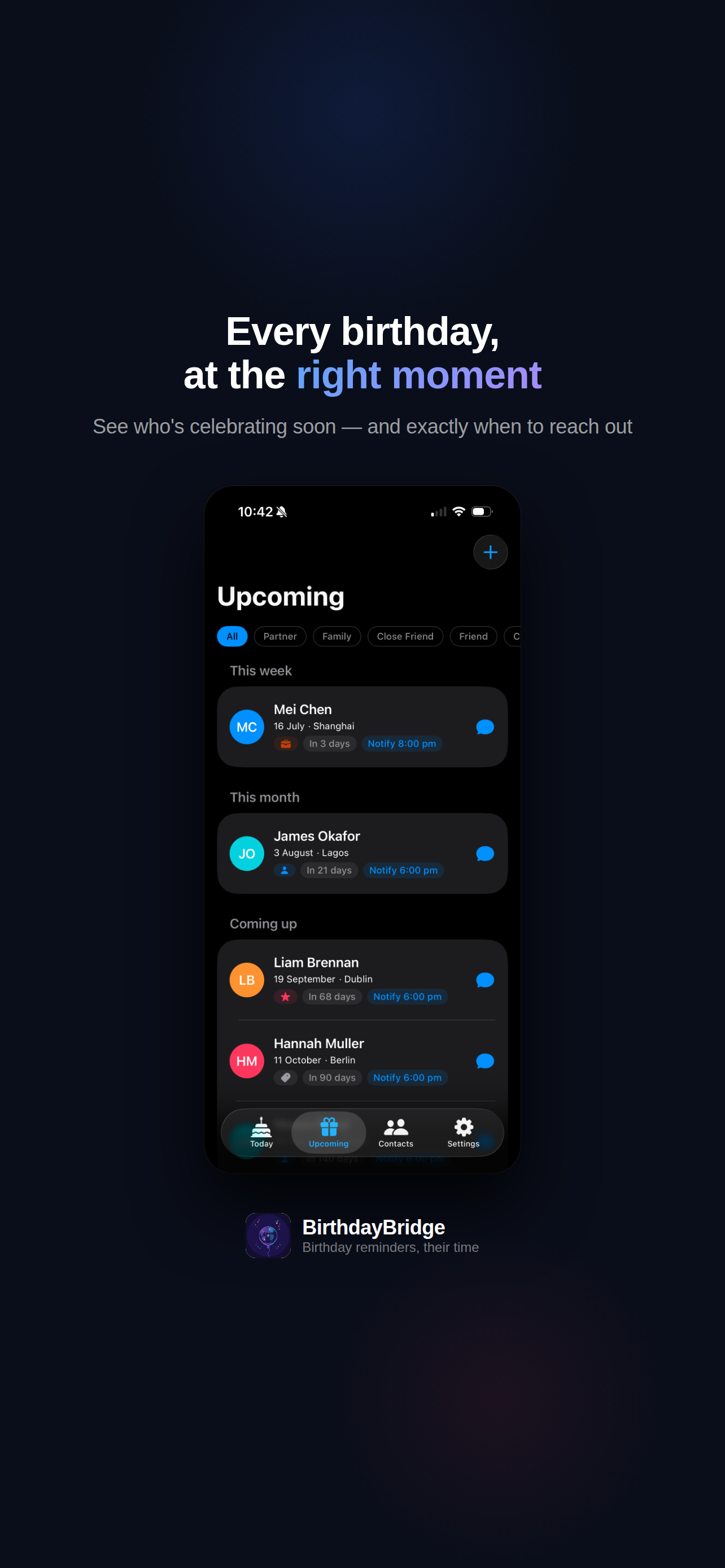
01 · Upcoming
Every birthday,
at the right moment
See who's celebrating soon — and exactly when to reach out. Contacts are grouped by proximity, each showing their city and the precise time you'll be notified.
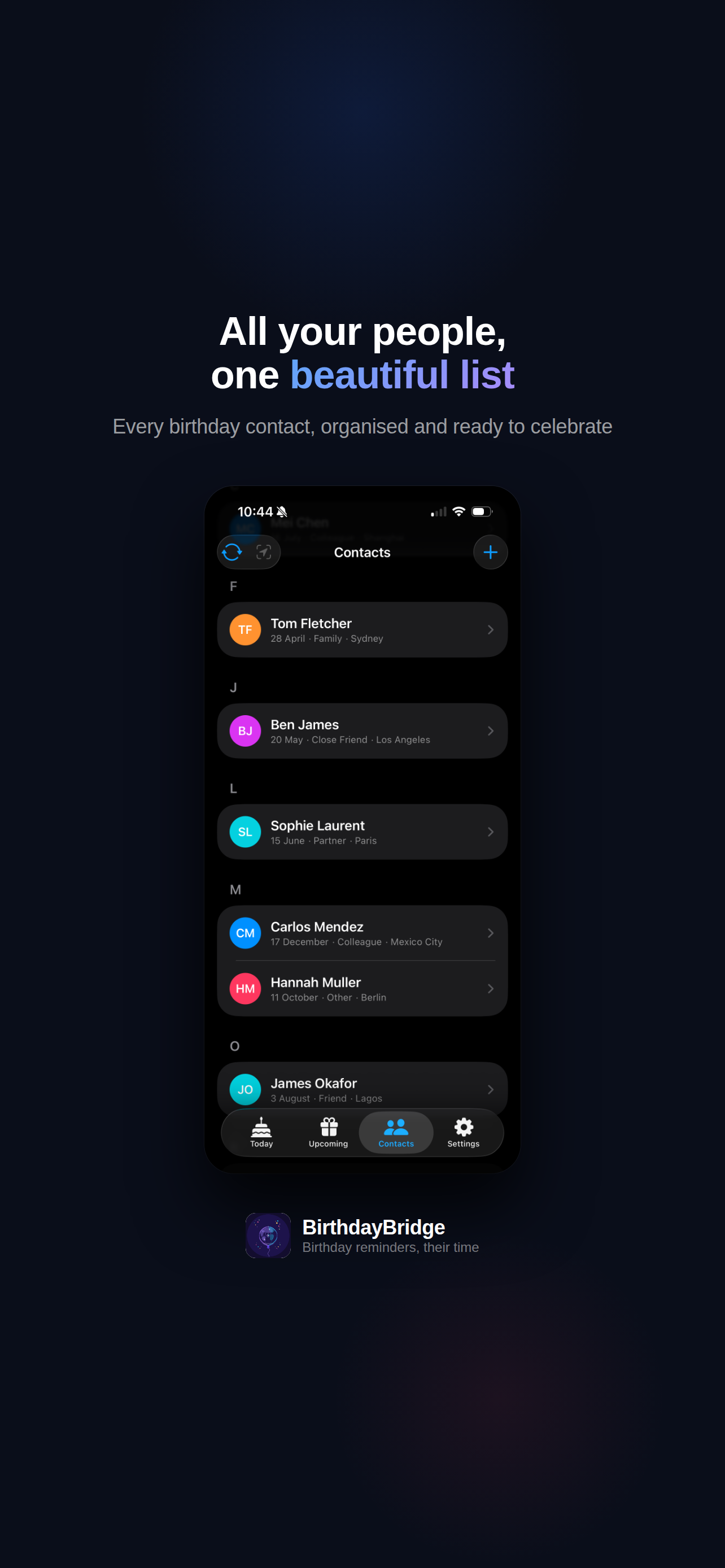
02 · Contacts
All your people,
one beautiful list
Every birthday contact, organised and ready to celebrate. Alphabetical groups, relationship tags, and a search bar to find anyone instantly.
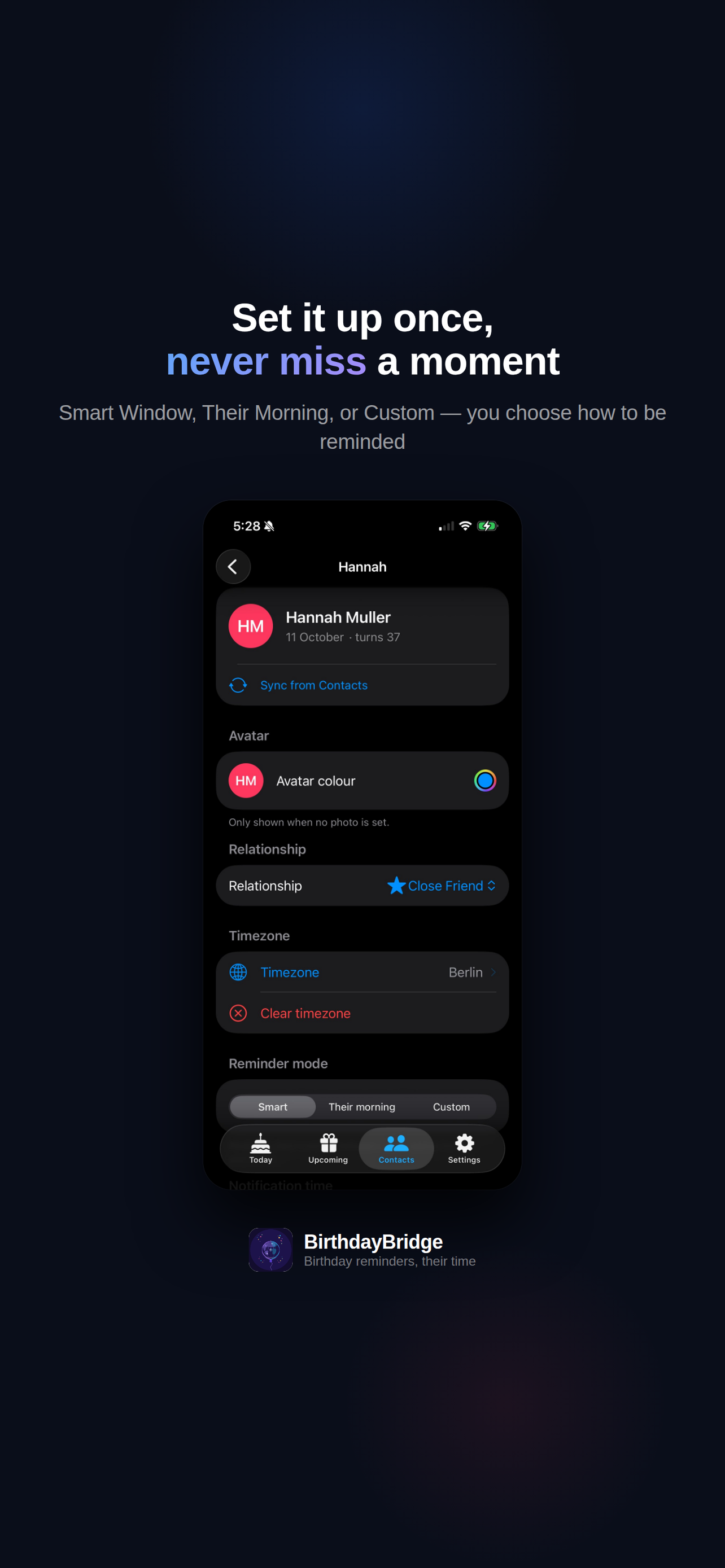
03 · Contact detail
Set it up once,
never miss a moment
Smart Window, Their Morning, or Custom — you choose how to be reminded. Set the timezone and reminder mode once and BirthdayBridge takes care of the rest, every year.
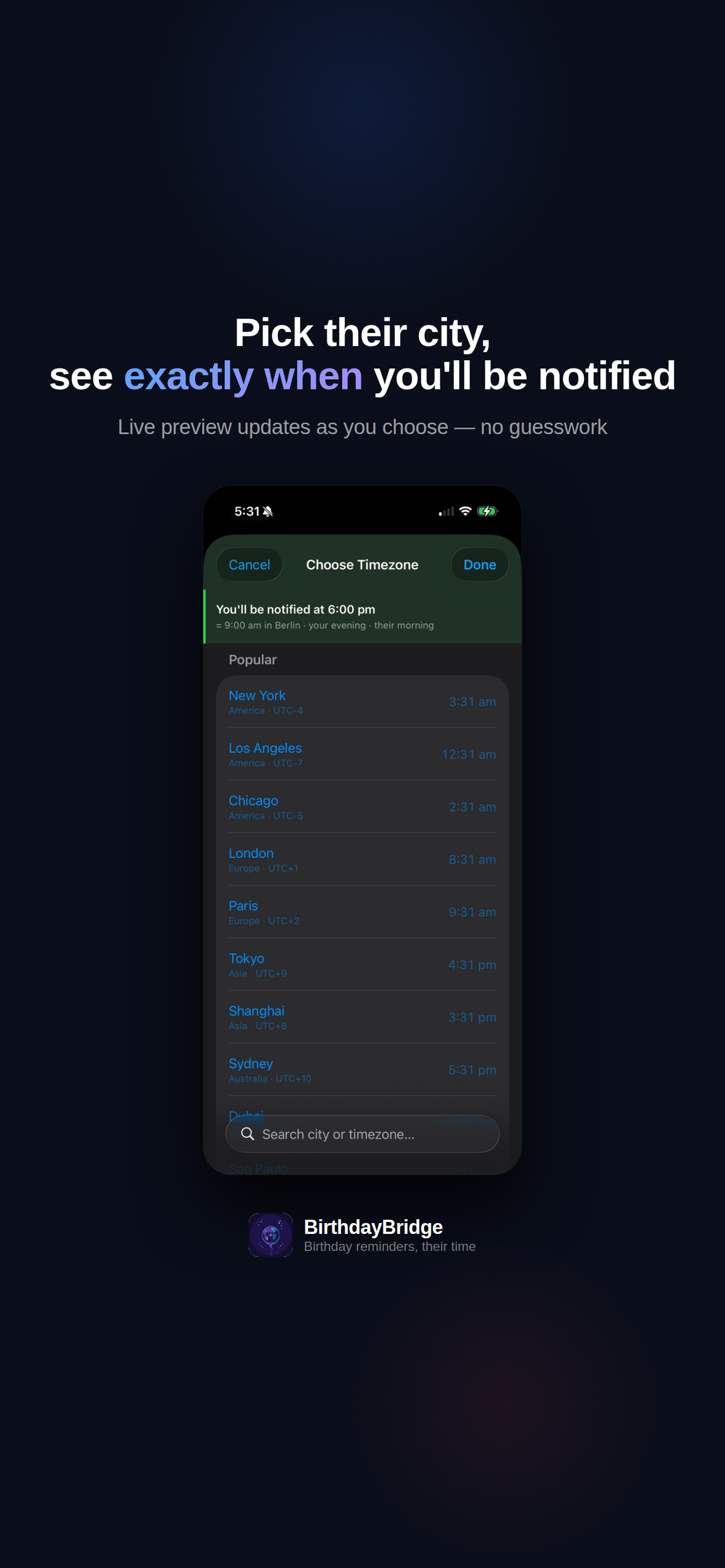
04 · Timezone picker
Pick their city,
see exactly when you'll be notified
Search by city, country, or UTC offset. A live preview banner updates instantly as you browse — no guesswork about when the notification will fire.
05 · Widget
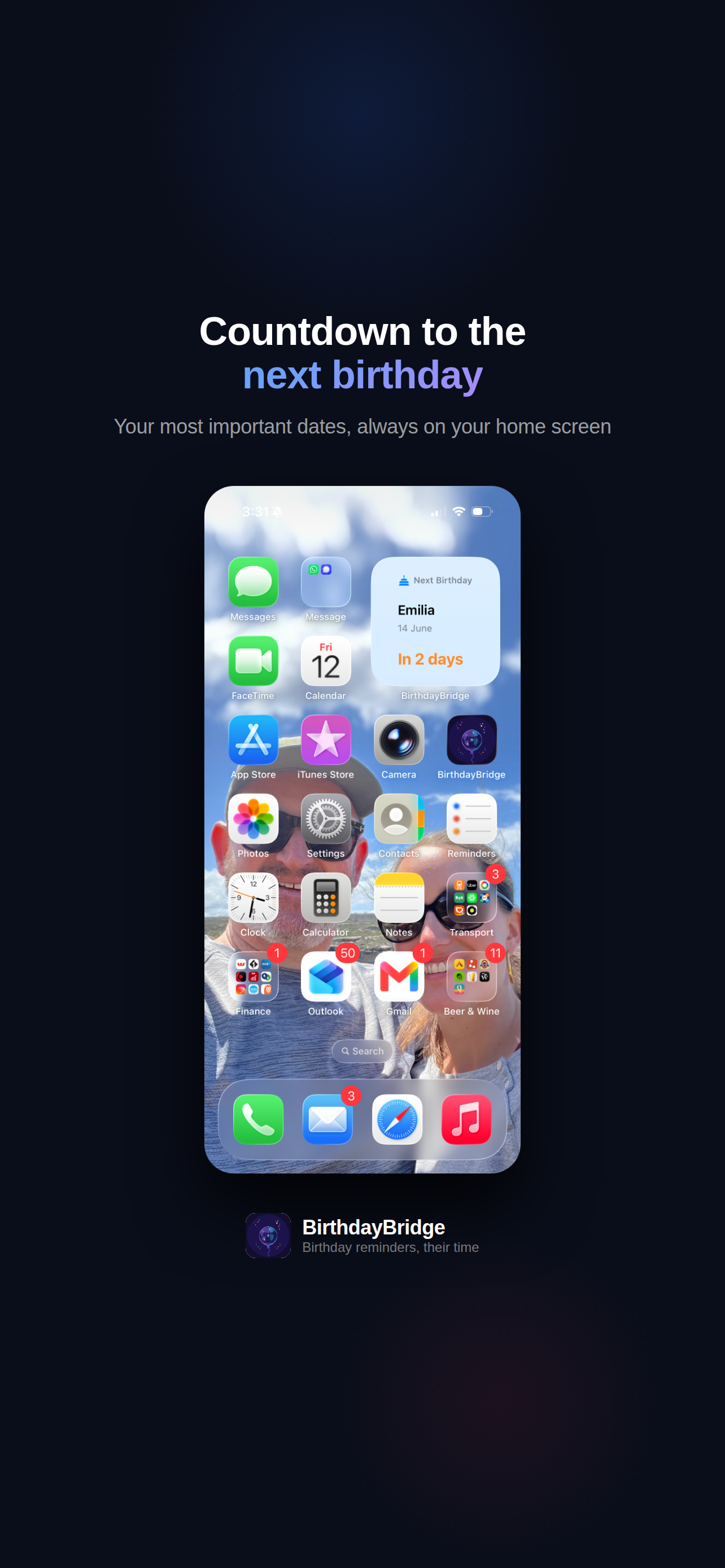
Countdown to the
next birthday
Your most important dates, always on your home screen. See who's next and how many days you've got, without opening the app.
06 · Messaging
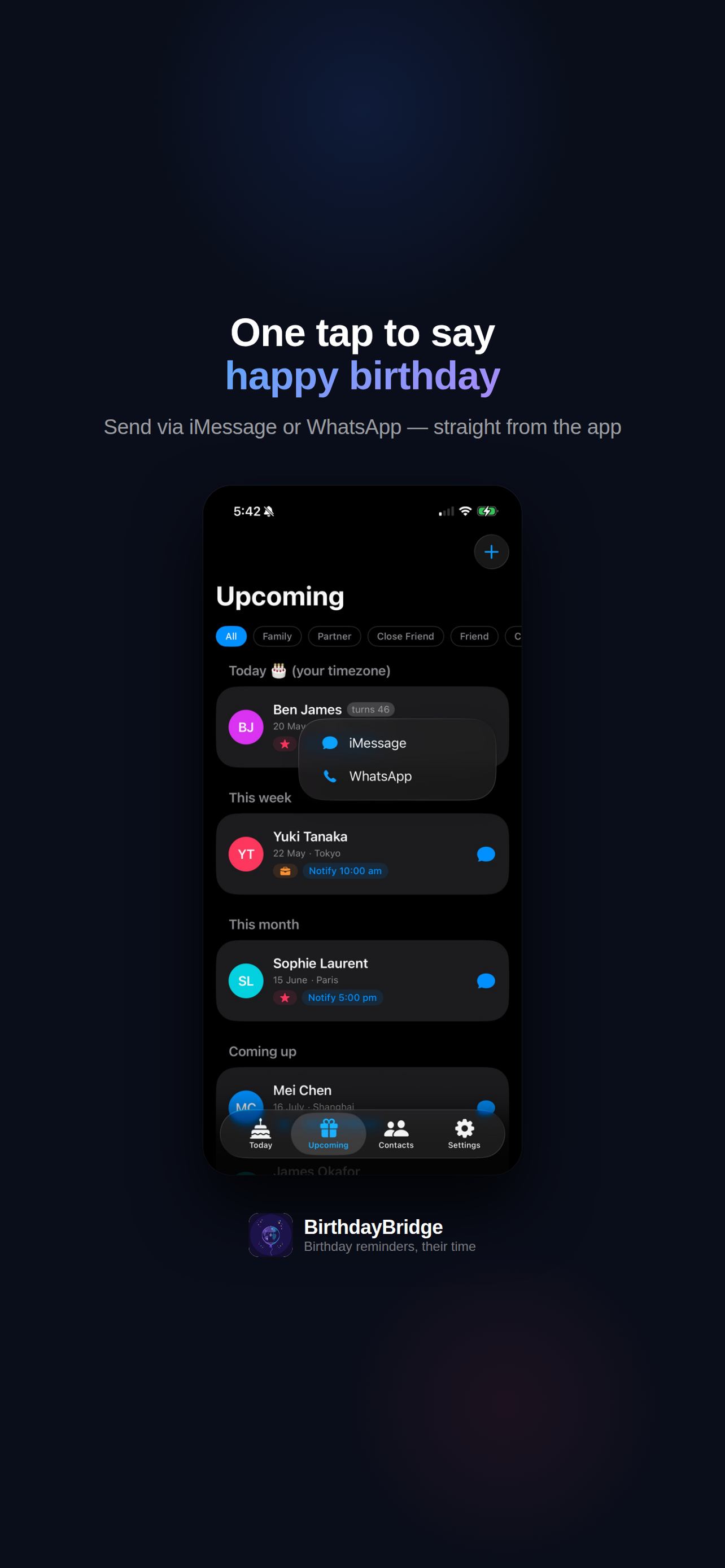
One tap to say
happy birthday
Send via iMessage or WhatsApp straight from the app. Tap the message icon on any contact and choose your channel — no switching apps, no copy-pasting.
07 · Pre-filled messages
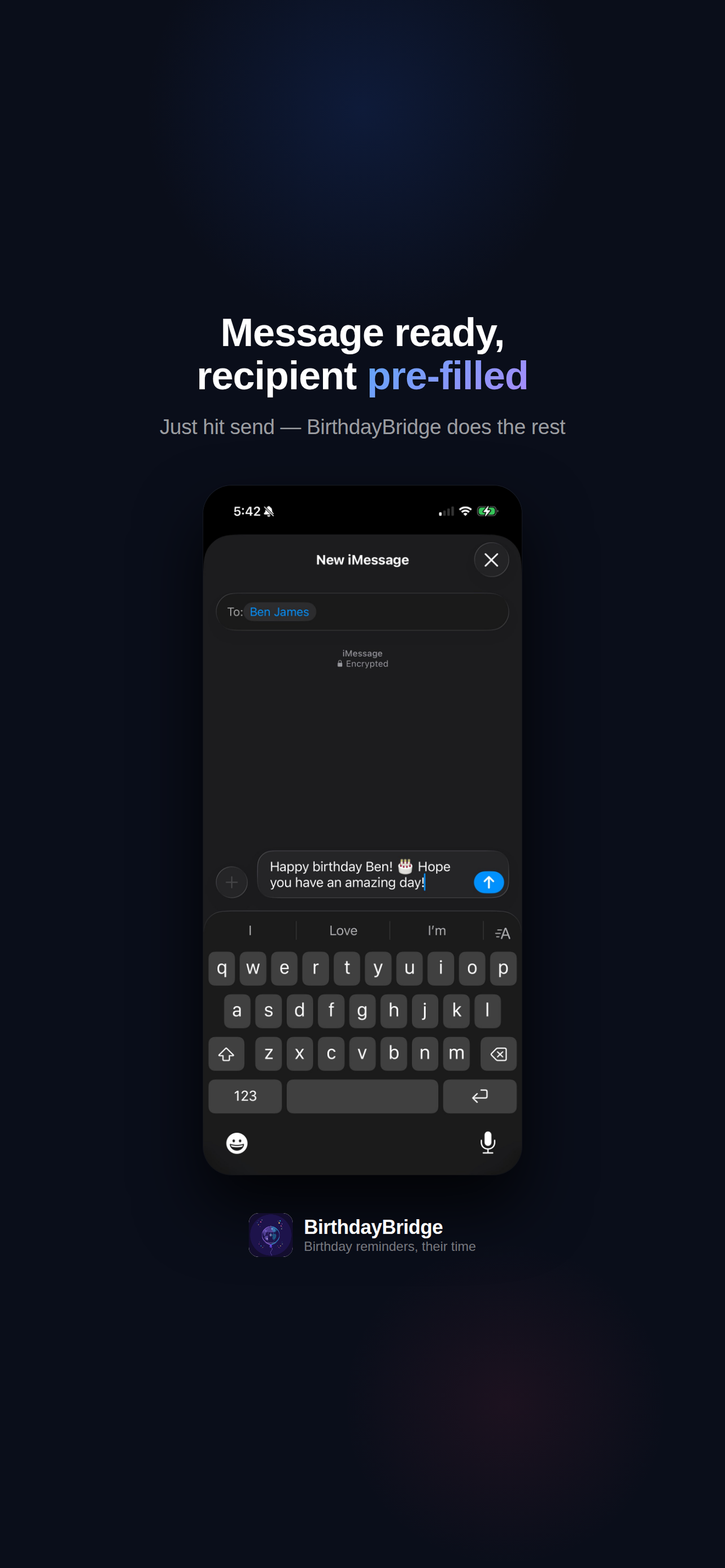
Message ready,
recipient pre-filled
BirthdayBridge opens iMessage or WhatsApp with the recipient and your custom message already in place. Just hit send.
08 · Settings
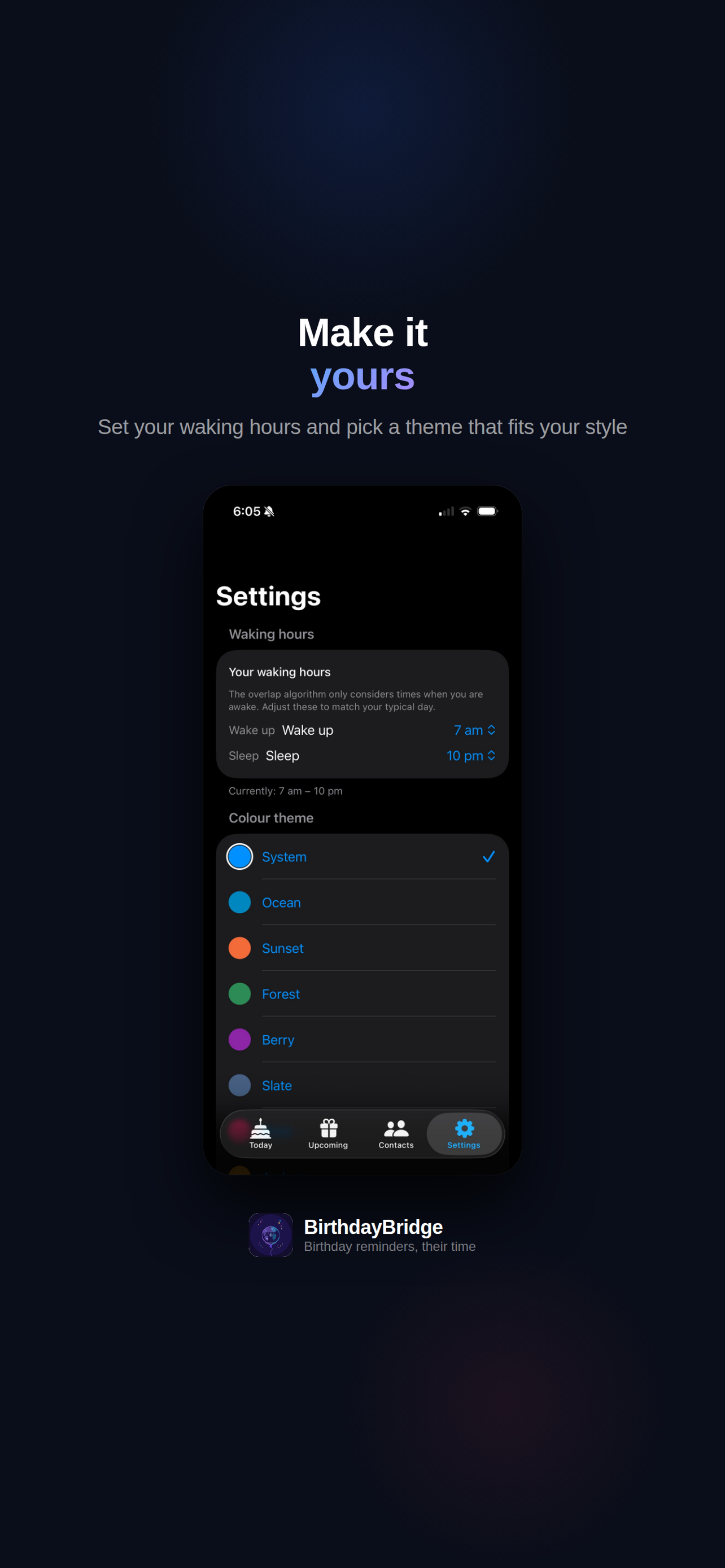
Make it
yours
Set your waking hours so the overlap algorithm knows when you're available. Then pick a colour theme — eight options to match your style. System is free; the rest unlock with Premium.
How it works
Set it once.
Never miss again.
Import your contacts
BirthdayBridge reads birthdays from your address book. Import as many as you like — or add contacts manually with just a name and birthday.
Set their timezone
Search by city name, country, or UTC offset. BirthdayBridge can also auto-detect the timezone from a contact's address — no manual lookup needed.
Choose a reminder mode
Smart Window finds the optimal overlap between both timezones. Their Morning always notifies at 9am their time. Custom lets you set any time you like.
Reach out at the right moment
When the notification arrives, tap Message to send a pre-filled birthday message — or just open the app to see who else has a birthday coming up.
Pricing
Genuinely useful for free.
Unlimited for a one-time unlock.
Free
$0
No credit card required
- Up to 7 contacts
- Their Morning reminder mode
- Smart Window for 2 contacts
- Manual timezone selection
- iMessage, WhatsApp & Email
- Widgets
- Auto-detect timezone
- Custom reminder time
- All 8 colour themes
Premium
- Unlimited contacts
- All reminder modes for all contacts
- Smart Window — unlimited
- Auto-detect timezone from address
- Home screen & lock screen widgets
- Custom reminder time
- All 8 colour themes
- iMessage, WhatsApp & Email
Time zones shouldn't get
in the way of the people you care about.
BirthdayBridge is free to download. Seven contacts, no credit card, no subscription.